Junipa

NCCD & student support for schools

Junipa is the system Australian schools run their disability and student support records on. Teachers, learning support staff and school leaders record the adjustments a student actually receives, the evidence behind them, and the consultation with the family. When the NCCD return is due, or a moderation visit arrives, the school answers from the records it already keeps rather than assembling a case from memory.

Regime
NCCD
Four levels, four categories
Tenancy
One school, one project
Separate database per school
Sign-off
Content hashed
Signature bound to what was signed
Import
Dry run first
Reversible, with an audit log

What the school is actually being asked

Every Australian school submits the Nationally Consistent Collection of Data on School Students with Disability. For each student counted, the school states one broad category of disability and one level of adjustment, and must be able to show the evidence that supports both. The count drives funding, so the evidence is checked.

The difficulty is not the form. It is that the answer lives in four years of ordinary school life: a diagnosis in a file, an adjusted timetable, a note from a parent meeting, the reader used in every assessment, the behaviour data someone kept in a spreadsheet. A school that has all of that and cannot produce it is in the same position as a school that does not have it. Junipa's job is to make the ordinary record keeping and the audit answer the same activity.

The two axes every counted student sits on
Level of adjustment What it means in the classroom What has to be evidenced
QDTP Quality differentiated teaching practiceAdjustments inside ordinary teaching. The teacher varies how the material is presented and assessed. That the adjustment is deliberate and documented in planning, rather than incidental.
Supplementary SupplementaryAdjustment in addition to the usual, at particular times or in particular subjects. Assessed need, the adjustment itself, its monitoring, and consultation with the family.
Substantial SubstantialAdjustment most of the time, with a good deal of the programme individualised. All of the above, plus a documented plan and its review over time.
Extensive ExtensiveHighly individualised, intensive, essentially all of the time. All of the above, sustained across the full four year evidence window.

The four categories run across the other axis: Physical, Cognitive, Sensory and Social / Emotional. Junipa carries a fifth value, None Identified, because a student can be on the school's support register without being counted, and the two lists are not the same list.

Live screen
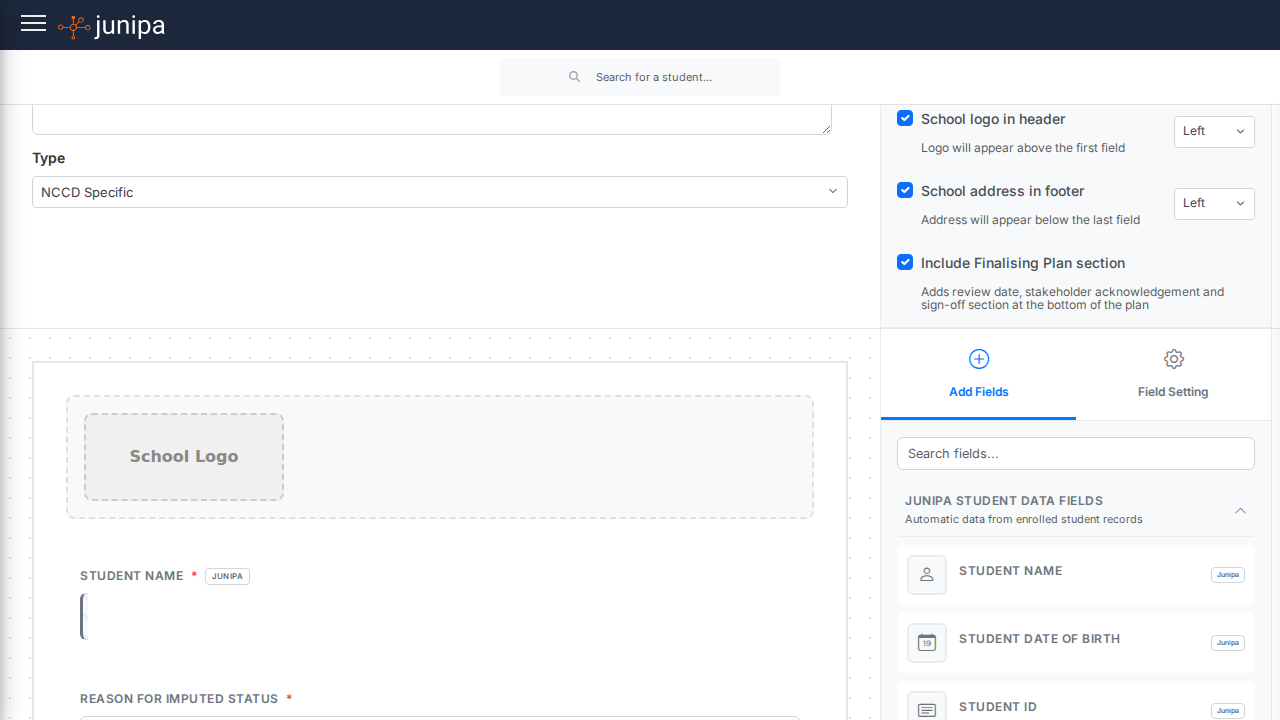
The plan for one invented student. The adjustments carry the evidence type code each one satisfies, the four categories resolve to 4 of 4, and the sign-off stores a hash of the plan text so a later edit is visible rather than silent.

The four year window

An adjustment is not evidenced by a single document. The school has to show a pattern across four pillars: that a need was assessed, that adjustments were provided, that they were monitored and reviewed, and that there was consultation with the family. Those four are first class things in Junipa rather than tags on a note. That pattern is built from records made across years by people who were not thinking about an audit at the time, which is exactly why it usually cannot be reassembled afterwards.

Junipa turns the window the other way around. Every case note, every plan review, every recorded consultation lands against the student on the day it happens, tagged with the evidence type it satisfies. The four year view is then a query, not a project.

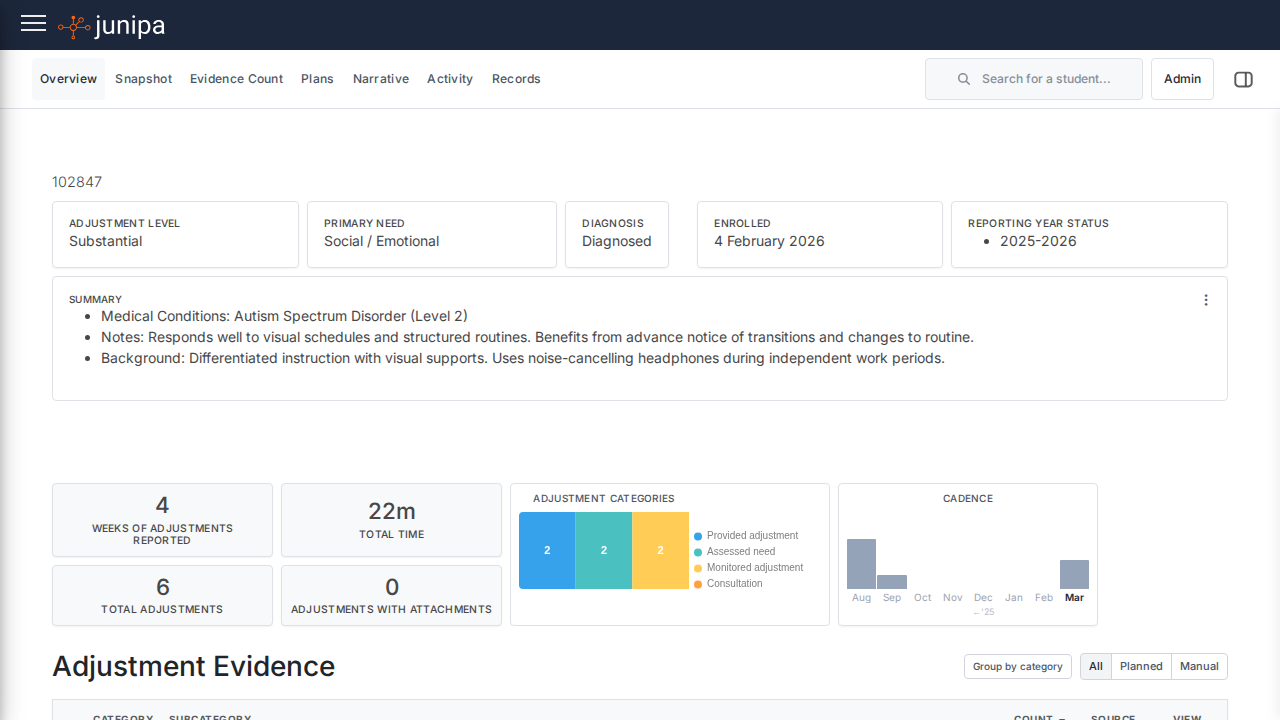
Live screen
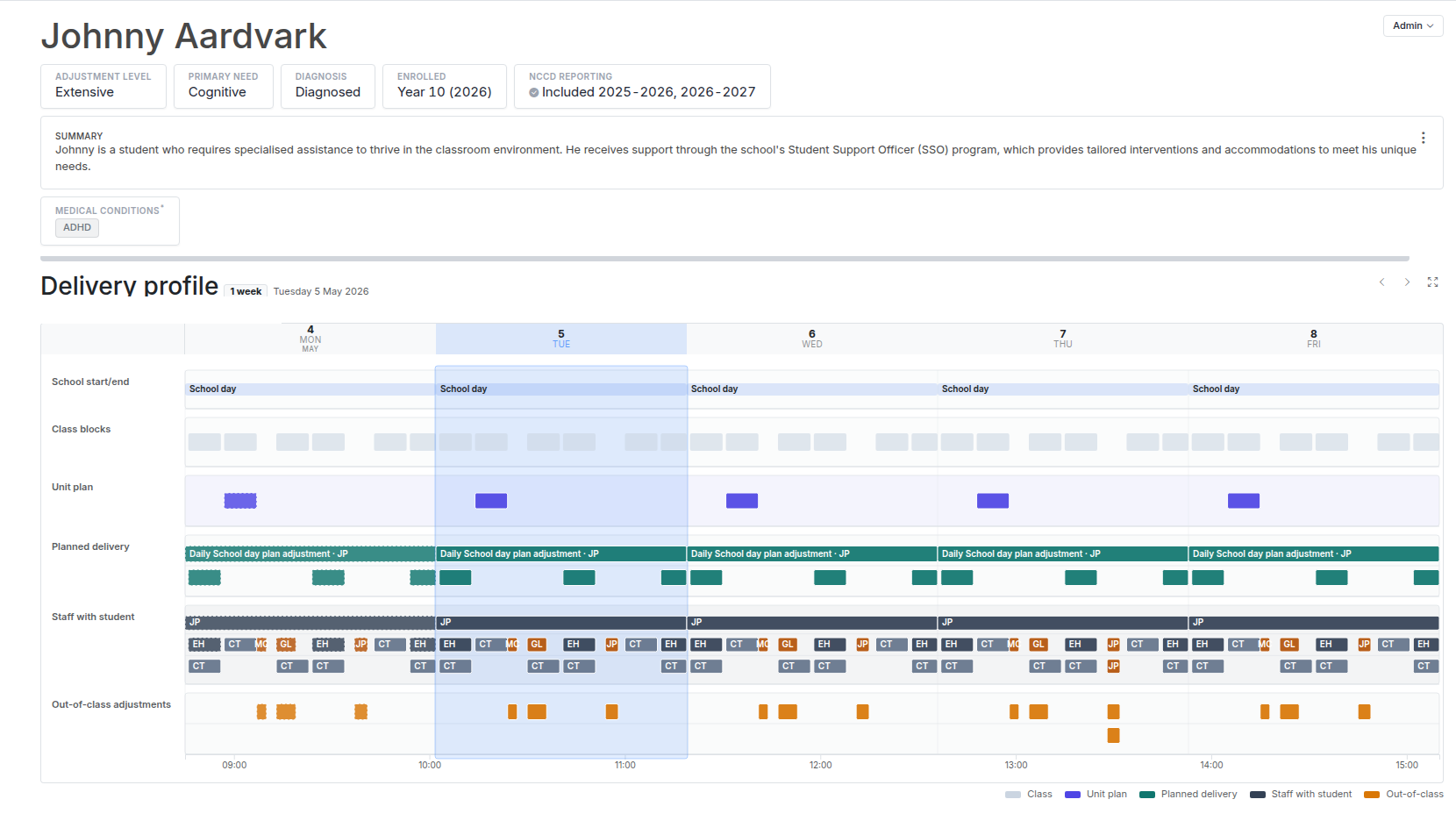
The same window as a working screen. The monitoring band is the busiest because that is where the volume is. Below it, the records themselves: an edited record keeps what was there before, an excluded one is real but is not evidence for this return, and a deleted one carries the reason it should not have been there.

A signature that is bound to what was signed

A plan is agreed with the family, and that agreement has to be recorded. The easy version of this feature is a checkbox and a date. The problem with the easy version is that the plan can be edited afterwards, and then the record says a parent agreed to a document that no longer exists.

So when a signature is captured, Junipa stores a hash of the plan content alongside it. The signature is evidence for that exact text. If the plan is edited later, the stored hash and the current content no longer agree, and the school can see that the version on screen is not the version that was signed. Re-signing is a deliberate act rather than an accident of editing.

Three ways to sign are supported, because schools genuinely need all three: a parent signs on their own device from an emailed link, a parent signs in person on a staff member's screen, or a signed sheet comes back on paper and is scanned in. The in-person path records which staff member collected it and on what authority, because an unattributed in-person signature is worth very little in a moderation conversation. A scanned upload keeps its original file untouched and stores its size and digest.

The sign-off panel on the student plan screen above shows what one captured signature stores: the plan content hash, the three consent statements with the time each was ticked, and the device the parent signed on.

Getting the students in

The hard part of school software is not the feature list, it is the first day. A school arrives with a CSV exported from whatever student information system it runs, and every one of those exports is shaped differently. Column headers vary. Adjustment levels come through as QDTP, as quality differentiated, or as diff. Student numbers carry leading zeros in one export and not the next. Names arrive hyphenated, apostrophed, or shortened to whatever the family actually uses.

And it happens again every year, because a roll-over is the same operation: the same students, one grade higher, in different classes, with some gone and some new. So the import is built as a recurring operation rather than a one-time migration.

Junipa matches each incoming row against the existing roll in three passes. Student number first, normalised so that leading zeros and separators do not defeat it. Then exact name. Then a nickname and prefix pass, so a row for Clem lands on the Clementine already enrolled instead of creating a duplicate. Every row reports which pass caught it, and rows that matched on the weakest pass are the ones a human should look at.

Nothing is written until the school has seen what will happen. The dry run produces a row by row account: who is new, who advances a grade, whose class changes, and whose NCCD data will change, which is the one that matters most, because a silently altered adjustment level moves a student in or out of the count. The real import then writes an audit log, and the whole thing can be rolled back.

Row in the file Matched against What changes Verdict
Ravenscourt, Tamsin STU-0040817
Existing roll, on student number Leading zeros stripped before comparison
Year 7 to Year 8, form 7B to 8C NCCD data unchanged
Advance
Kestrelton, Clem STU-40993
Clementine Kestrelton, on the nickname pass Number absent from this export
Year 9 to Year 10, form 9A to 10G No duplicate created
Advance
Quillane, Sunniva STU-41266
Existing roll, on exact name Apostrophe normalised on both sides
Supplementary to Substantial Adjustment level moves
NCCD change
Marchetti, Corinne STU-41402
Nothing on the roll All three passes returned empty
Created, Year 7, form 7D Cognitive, QDTP
New
Halbrook, Marta STU-39118
Archived enrolment from 2024 Returning after a year away
Re-enrolled, Year 11, form 11F Prior evidence retained
Re-enrol

Five invented rows, one per outcome the dry run distinguishes. The third is the reason the dry run exists: an adjustment level moving from Supplementary to Substantial is a change to the student's place in the national count, and it should never happen because a spreadsheet column was in a different order this year.

Live screen
The dry run, before anything is written. The match cascade reports which pass caught each row, and the row that matters is the one moving from Supplementary to Substantial, because that is a change to a student's place in the national count.

Dry run before write

Every row is resolved and reported before anything is committed, with the match method, the previous and target grade, the previous and target form, and whether NCCD data moves.

Audit log after

The real run records what it did. A roll-over that goes wrong at eight in the morning is answerable at nine, because there is a record of the operation rather than only its result.

Rollback

An import can be reversed. The feature exists because the alternative, on a live student roll at the start of a term, is a school unpicking a thousand records by hand.

Who is allowed to read it

Case notes are where staff write what actually happened: the conversation in the corridor, the thing the parent said on the phone, the reason a student left the room. Some of it is ordinary and should be visible to the teachers who work with that student. Some of it is sensitive, and a smaller group should see it.

The naive answer is to hide sensitive notes entirely from anyone without the privilege. Junipa does something more careful. A staff member without permission to read a note still sees that a note exists, on what date, and whether it is marked sensitive. The text is withheld; the fact of the record is not. That distinction matters, because a support teacher needs to know there is history here worth asking about, and an audit trail with invisible gaps in it is not an audit trail. Two separate privileges govern this: READ_STUDENT_CASE_NOTES for ordinary notes and READ_SENSITIVE_STUDENT_CASE_NOTES for the rest.

Staff pull each other into a student's record by name. Typing an at sign in a case note opens a staff picker, and the mention carries its context with it, so what arrives is not a bare alert but the student, the plan or the enrolment it came from.

The permission check on that mention is the part worth describing. It happens on the server, and the server does not trust the note the browser sent it. It re-reads the note from the database, confirms the sender has authority over it, and then confirms independently that the recipient is allowed to read it. You cannot mention a colleague into seeing something they have no right to see. Sensitive notes go further: their notifications carry no preview text at all, and they are never included in an email even at a school that has turned message content on.

Live screen
The same record as a teacher without the sensitive privilege sees it. The withheld notes keep their place in the sequence, dated and marked, so the history still reads as continuous. The note of 12 June is legible to its own author while carrying the same sensitive marking as the two that are not.

Ordinary notes

Visible to staff with the student case notes privilege. Dated, attributed, and linkable to the evidence record they support.

Sensitive notes

Gated behind a second privilege. Everyone else sees the marker and the date, so the record reads as complete while the content stays closed.

Your own notes

The author always reads their own note. Ownership is checked before privilege, so a staff member is never locked out of what they wrote.

One school, one database

Junipa does not put every school in one database behind a school identifier column. Each school gets its own project, its own database and its own authentication. The separation is infrastructural rather than a condition in a query, which means the failure mode that leaks one school's students into another school's screen does not have a code path to travel down.

That choice costs something. Nine services rather than one, nine deployments, and a routing layer at the edge that decides which school a request belongs to before it reaches an application at all. For student support records it is worth paying. It also gives each school its own settings, its own wording for the categories it uses internally, and its own evidence types, without any of that leaking sideways.

Junipa · a request finds its school Drawn Shape of the routing, not a topology
Scroll the diagram sideways
How a request is routed to one school's own project A browser on the left requests a school subdomain. An edge worker in the centre reads the subdomain and selects that school's own frontend and API. On the right, three separate school projects are drawn as closed boxes, each holding its own database and its own authentication, with no line drawn between them. A STAFF MEMBER, AT ONE SCHOOL Browser northfield.junipa .com.au invented subdomain EDGE Worker Reads the subdomain and picks that school's own frontend and API. SEPARATE PROJECTS · NO LINE BETWEEN THEM Northfield Grammar own database own authentication own settings this request lands here Marrawidgee College own database own authentication own settings unreachable from the request above Kelvin Bay Secondary own database own authentication own settings unreachable from the request above
Three invented schools. The isolation is the point of the drawing: there is no line between the boxes on the right, because there is no query that reaches across them. Separation is a fact of the deployment rather than a condition in a query, which is why it holds even when application code is wrong.

What else is in it

The NCCD return is the obligation, but a school does not open a piece of software to satisfy an obligation once a year. The surrounding areas are what make it a system staff are already inside when the evidence needs to exist.

Plans

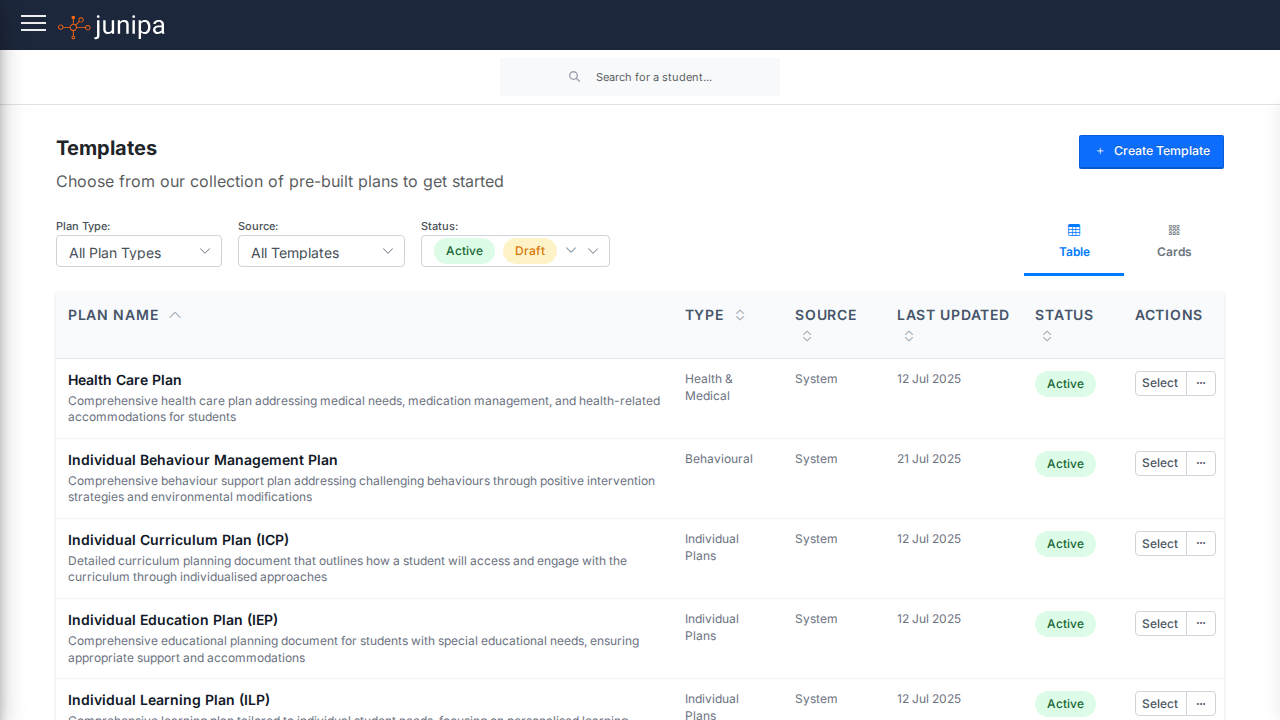
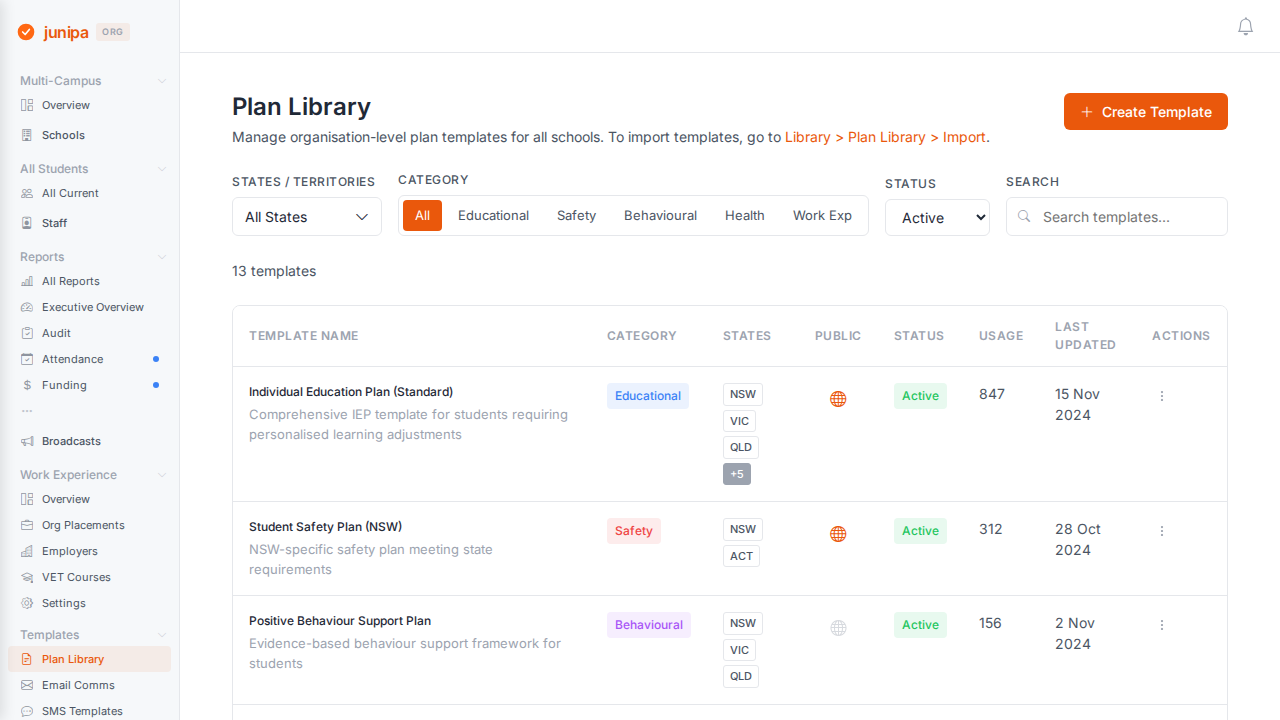
Individual plans built from a form the school defines, with versions, reviews, obligations and a journal per student. Plan types differ by school, so the builder is configurable rather than a fixed template.

Scope and sequence

Programmes and units the school authors itself, with references out to the relevant curriculum authority rather than a copy of its text. Each reference records whether it is the school's own wording, a suggested match, or one a staff member has confirmed.

Auditor view

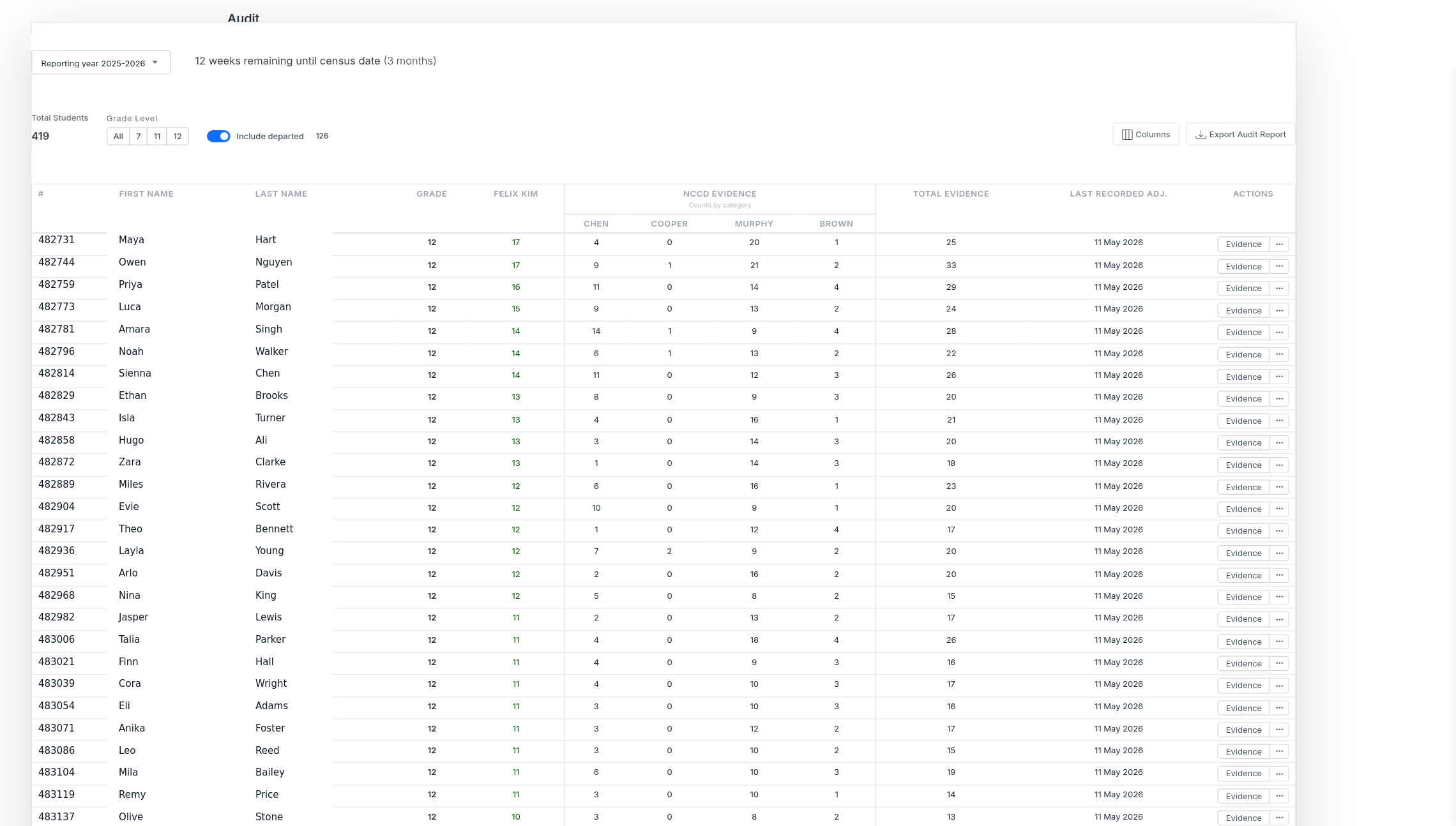
A dashboard for the person checking, with student identity able to be removed for an external reviewer. The de-identification follows through into the exported file, which is the place that setting is usually forgotten.

Cohort reporting

Counts across the school by category and level, which is how a school finds the student whose evidence is thin before someone external does.

Work experience

Placements, host employers and the paperwork around them, carrying the student's adjustment level through so a host is briefed appropriately.

School wording

Schools use their own language for categories and evidence. Custom categories map onto the official ones, so staff read familiar words and the return still says the right thing.

Compliance lives in the data model

The tempting way to build this is to store records plainly and produce the compliance behaviour at the reporting layer, where it is cheap to change. Junipa does the opposite, and the pattern repeats often enough to read as a decision rather than a habit.

Deleting evidence is a soft delete carrying a reason, and it is a different thing from excluding evidence, which is also recorded but means something else. Editing evidence requires a reason and keeps what was there before. A plan review stores the plan as it was and as it became, and the live plan is never mutated while a draft is open. A plan points at the frozen version of the template it was created from, so it always renders as it was written rather than as the template later became. A signature carries a hash of what was signed. Provenance on an imported record is stamped by the server and left out of the fields a browser is allowed to change, so it cannot be forged from the client.

None of that is visible on screen on an ordinary day. It is all for the conversation two years later, where the question is not what the record says now but what it said then, and who changed it.

Built for the people who do not want to be there

Almost nobody using Junipa chose to. A teacher wants to teach; a support staff member wants to be with the student. Recording evidence is the tax on both. So the design targets are unusual for a product: nothing decorative, dense readable tables over cards, familiar form controls rather than invented ones, and short purposeful motion used only to explain that something changed.

The same reasoning drives the accessibility work. Staff sit in this system for long administrative sessions, often at the end of a teaching day. The stated targets are contrast at WCAG AA, keyboard access to table actions and menus, state never carried by colour alone, and a reduced motion path; in the code, ARIA attributes are used broadly and reduced motion is honoured across many stylesheets. A tool that is tiring to use produces thin evidence, and thin evidence is the entire problem the product exists to solve.

The audit answer is a by-product.

Staff record the day they had. The evidence is what that record already is.

Get in touch

Junipa is a real product running in Australian schools. The screens on this page are real and running, and the data in them is not: every student, family member, school, staff member, identifier, date, hash and figure shown is invented for this page, and nothing here was captured from a live school. The structures are the system's own: the adjustment levels, the disability categories, the four evidence categories and their type codes, the signature audit fields and content hash, the import match cascade and its dry run, the case note redaction shape and the per school isolation are all as the product implements them. The people are not.